I have created a portfolio website for myself filled with screenshots of my designs.
All of the images appear beautifully sharp and crisp on both desktop and mobile, EXCPET for one!!
This image appears high res, crisp and sharp on my Desktop, but on mobile it is heavily compressed and pixelated and FILLED with compression artifacts!
Image url: https://hishamfangs.com/images/dates-high-res.png
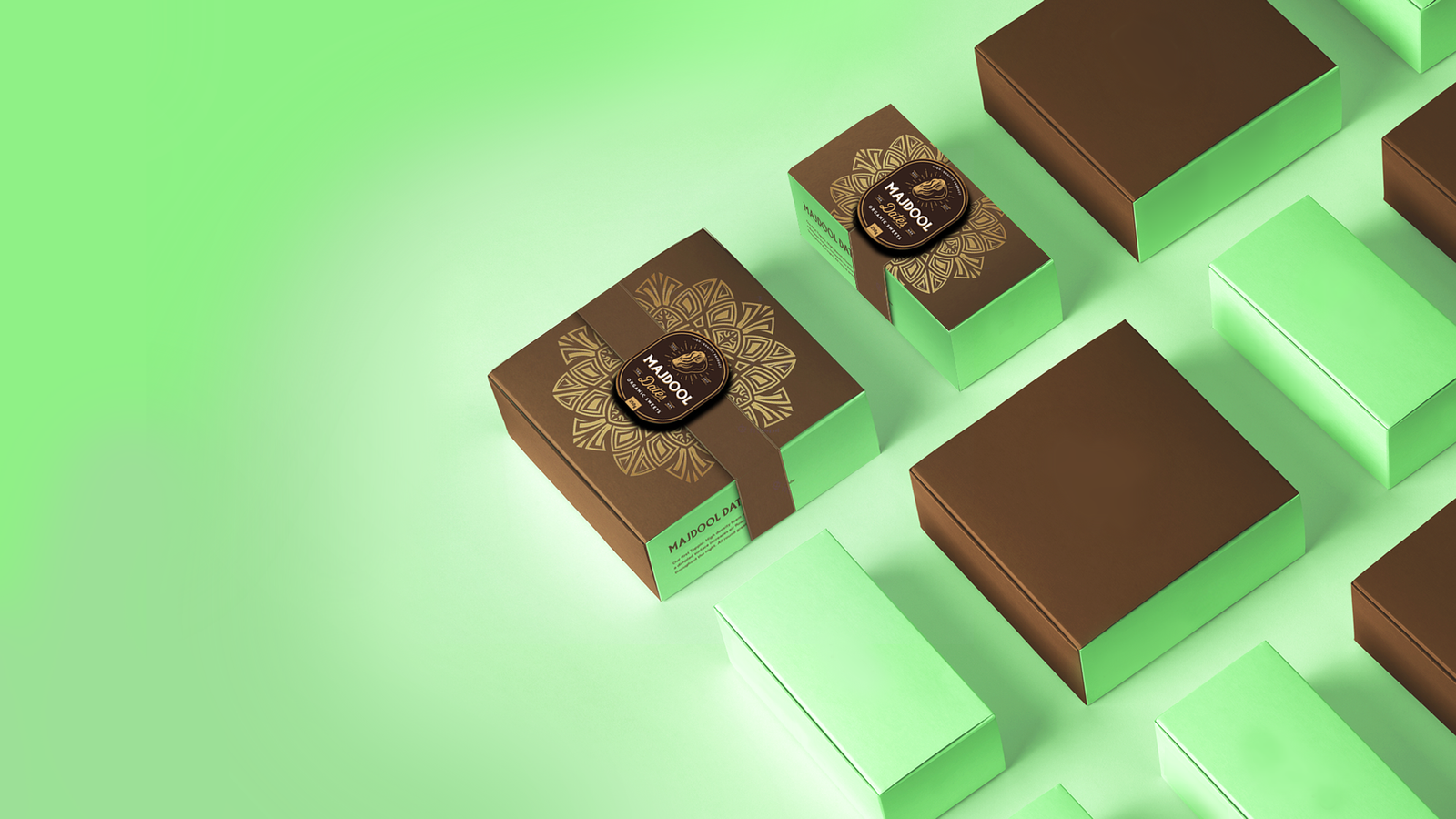
I've tried everything, including tripling the resolution and using non compressed PNG (26 megs file size!!), and yet the image always appears looking like low res garbage on android, despite looking crisp and sharp on desktop!! (and yes, I've cleared cache, used different file formats, and changed filenames, still the same everytime!)
I tried all the suggestions I found online, including using pagespeed_no_transform property on the image tag to try to disable android image compression, and disabling data saver, and everything else, nothing worked, except 1 thing which I tried in desperation, and to my shock it worked.
I simply cropped the image from both sides so it's portrait, instead of landscape! Suddenly, the image is sharp and crisp on ALL mobile browsers!! But this defeats my entire purpose! I need the image in portrait.
Does anyone have any idea why this is happenening, how to disable it, and why is it ONLY happening with this one image, but not the 20 or so others??
It's so annoying!
This is the image as it appears on desktop, sharp and crisp:

And this is the image as it appears on Android Browsers on mobile:
