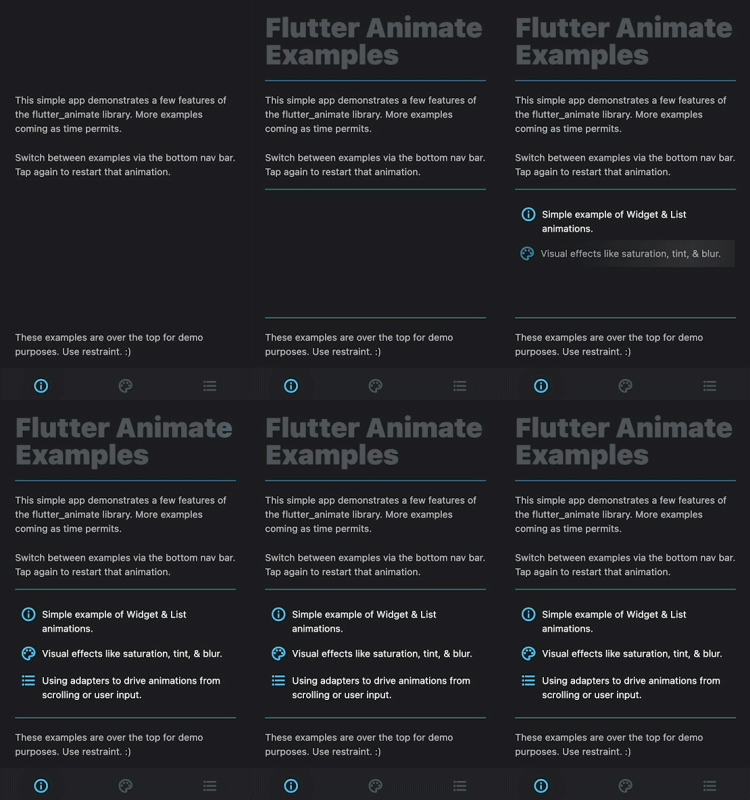
How can I achieve similar animation of the title "Flutter Animate Example" on an image?

91 Views Asked by At

I am using flutter_animate 4.4.0 package in my flutter app.

I am trying to achieve animation on a particular widget like the title of this Screen: Animation gif

I am only trying to achieve the shade that runs in a loop on an image.

What I have done so far is:

Positioned(
        left: 93.w,
        top: 399.h,
        child: Image.asset(
          'assets/images/logo.png',
          height: 94.h,
          width: 224.w,
            ).animate(
                delay: 500.ms,
                onPlay: (controller) =>
                   controller.repeat(period: 500.milliseconds)).tint(
                  color: Colors.white.withOpacity(0.5),
                ),
          ),

I have also tried Shimmer.fromColors(). However, the baseColor property changes the color of the image.

I appreciate all of your kind help.

2

There are 2 best solutions below

2
Jaimin Raval On

Use this package to achieve that title animation.

    SizedBox(
  width: 200.0,
  height: 100.0,
  child: Shimmer.fromColors(
    baseColor: Colors.red,
    highlightColor: Colors.yellow,
    child: Text( // you can add any widget
      'Yor Text',
      textAlign: TextAlign.center,
      style: TextStyle(
        fontSize: 40.0,
        fontWeight:
        FontWeight.bold,
      ),
    ),
  ),
);
0
Raouf Rahiche On

You don't need to use the shimmer package since flutter_animate provides that functionally as well, the additional color you are seeing is coming from the tint extension

Here is a working sample : https://zapp.run/edit/flutter-z43a06n743b0?entry=lib/main.dart&file=lib/main.dart

Code:

class ShimmerSample extends StatelessWidget {
  const ShimmerSample({Key? key}) : super(key: key);

  @override
  Widget build(BuildContext context) {
    return Scaffold(
      body: Center(
        child: Image.network('https://i.imgur.com/nYxw0ES.png')
            .animate(delay: 500.ms, onPlay: (controller) => controller.repeat(period: 500.milliseconds))
            .shimmer(color: Colors.white.withOpacity(0.5)),
      ),
    );
  }
}

Looks like this:

enter image description here