(I asked this also on Datalore's forum. There doesn't seem to be much going on there -- so I'm asking here in the hope of a better/quicker response.)
I'm having trouble attaching GCS buckets. The documentation is sparse. All that I could find is here, which simply says:
In the New datasource dialog, fill in the fields and click Save and close.
Here's that dialog and I'm not sure what information to put here.
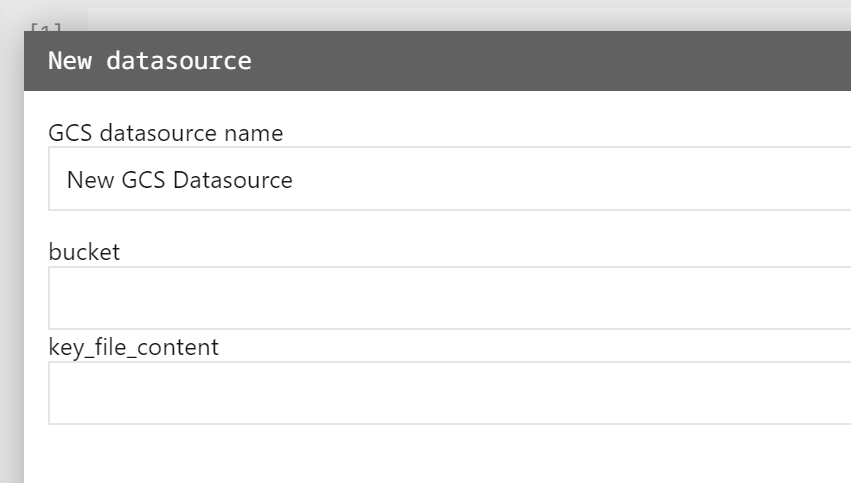
What I tried
GCS datasource name
I believe it's for reference within Datalore, correct? So can I just put anything here? I wrote "patant-data-ors".
bucket
Options I tried:
- patent-data-ors (this is the name of the bucket)
- storage.googleapis.com/patent-data-ors
- patent-data-ors.storage.googleapis.com
Also tried 2 and 3 with https://.
key_file_content
I left it blank. I'm guessing it's for private buckets? Mine is publicly accessible.
What am I doing wrong?

You should paste the whole text from .JSON file. To get this file, follow these steps after you created a bucket in the project:
IAM & Admin.Service accountsand create a new account.Grant this service account access to projectselect the roleStorage admin. You can find it by typing in filters.Keystab. Add a new key as a JSON file. Then open it, copy the text and paste it toGCS key file contentfield in Datalore.